Track every application from one workspace.

Organize roles, resumes, cover letters, contacts, interviews, outreach, and activity history without losing the context behind each application.

  • Track status, company, role, materials, and update history
  • Keep resumes, cover letters, contacts, interviews, and outreach connected
  • Open a role-specific workspace when an application needs attention
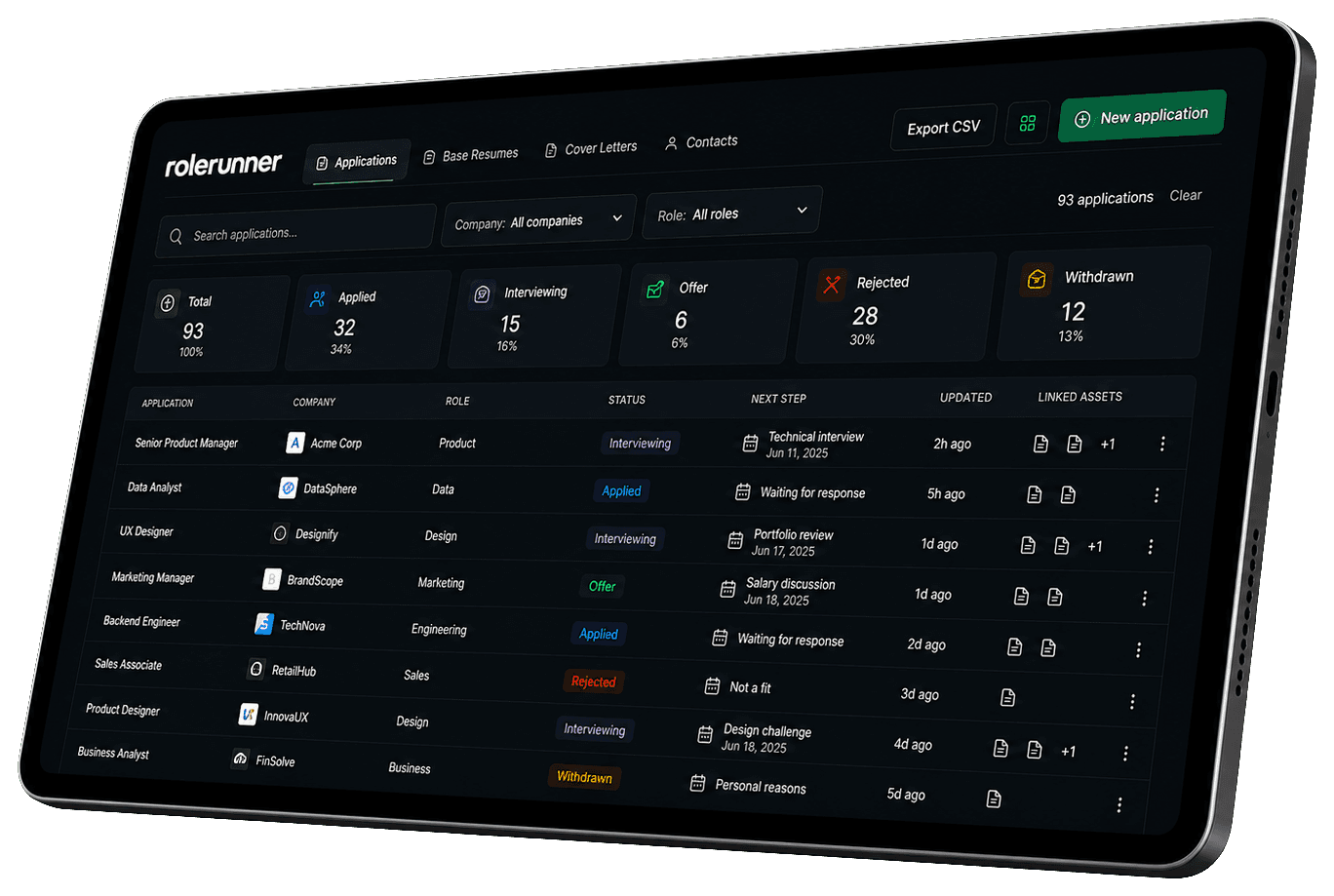
rolerunner application tracker dashboard with application rows, status cards, filters, and linked materials

Application table

Keep every application organized

The Applications table gives each role a structured record with status, company, role, generated materials, linked documents, and update history.

  • Search, filter, and sort applications as the list grows
  • Track statuses like active, applied, interviewing, and accepted
  • See linked resumes, cover letters, and generated materials at a glance
Linked materials

Connect materials to the right role

RoleRunner keeps application materials connected to the application they support, so a tailored resume or cover letter does not become another loose file.

  • Link base resumes and role-specific resumes
  • Open associated cover letters from the application record
  • Keep career documents close to application context

Application history

See history, contacts, and next actions

Each application can carry more than a status label. Studio helps you review contacts, interviews, campaigns, outreach, and activity when you need the full picture.

  • Review role details, notes, and update history
  • Track networking contacts and follow-up context
  • Access interviews, campaigns, outreach, and activity from the detail view

Connected context

Open one role and see the full picture

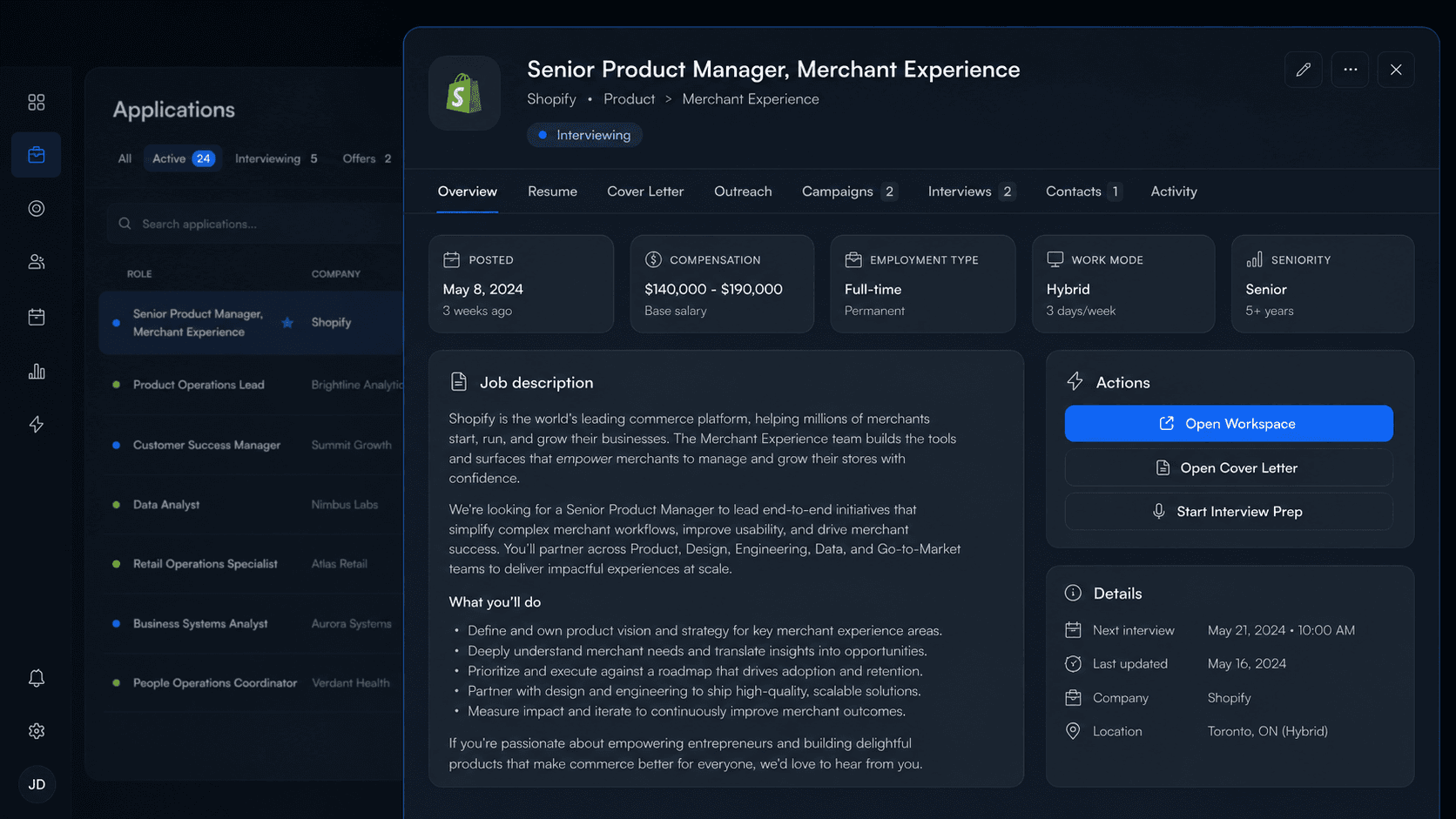
Each application opens into a focused role view with the job description, linked materials, outreach, interviews, contacts, activity, and next actions kept together.

  • Switch between resume, cover letter, outreach, campaigns, interviews, contacts, and activity
  • Review the job description, compensation, work mode, and role details in one place
  • Move from context to action with workspace, cover letter, and interview prep shortcuts
rolerunner application detail view showing a selected role, job description, action buttons, tabs, interviews, contacts, and role details

Studio table

Search, filter, and scan the application workflow

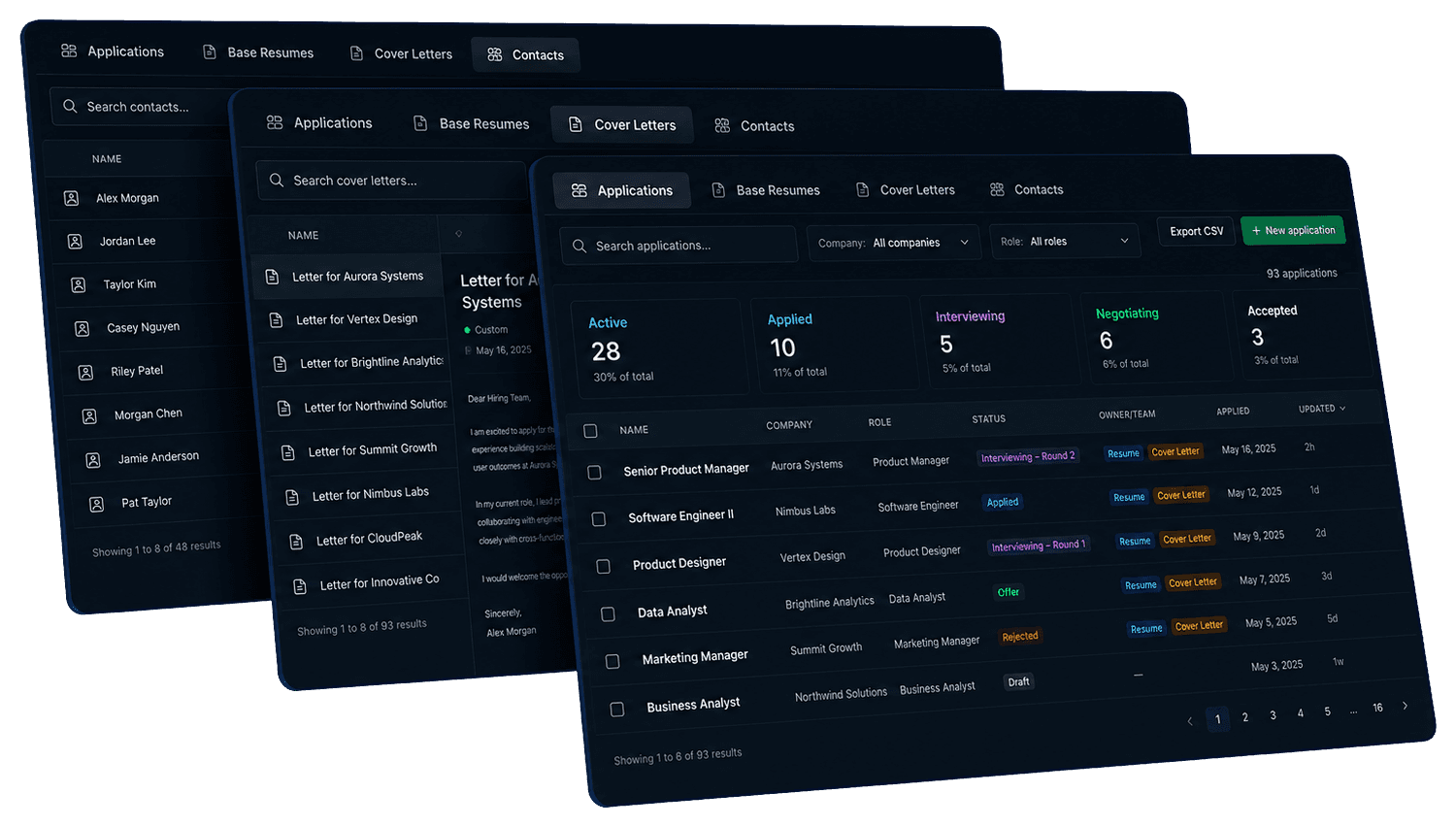
The tracker is built for repeated use. Search across applications, filter by status, scan linked materials, and spot recently updated roles without opening every record.

rolerunner application tracker, cover letter, and contacts tables stacked as connected workspace panels

FAQ

Questions about the Application Tracker

What can I track in RoleRunner Application Tracker?

You can track applications, statuses, companies, roles, linked resumes, linked cover letters, generated materials, contacts, interviews, outreach, campaigns, notes, and activity history.

Can I link resumes and cover letters to an application?

Yes. Studio helps you keep resumes, cover letters, and generated application materials connected to the specific role they support.

Can I track contacts for networking?

Yes. Studio includes contact tracking so networking contacts and relationship context can stay connected to applications when relevant.

Can I see the history of an application?

Yes. The application detail view can show update history, generated materials, linked records, notes, and activity so you can understand what has happened for that role.

Can I access interviews, outreach, and campaigns from an application?

Yes. The application detail drawer can connect the role to interviews, outreach, campaigns, contacts, materials, and activity so related work stays close together.

Is Studio different from the Application Tracker?

Studio is the broader RoleRunner workspace for applications, contacts, base resumes, and cover letters. Application Tracker is the public name for the application tracking part of Studio.

Ready when you are

Keep every application connected.

Track roles, manage materials, review contacts, and open the full application history from one organized workspace.