1
Link the campaign to an application
Start from a target role so the campaign goal, prospect list, and message review stay connected to real application context.
Create materials
Manage the search
Manage your entire outreach strategy in one place. rolerunner uses the job description to source prospects, draft invite notes, and queue messages so you can focus on applying and interviewing.
Application-connected outreach
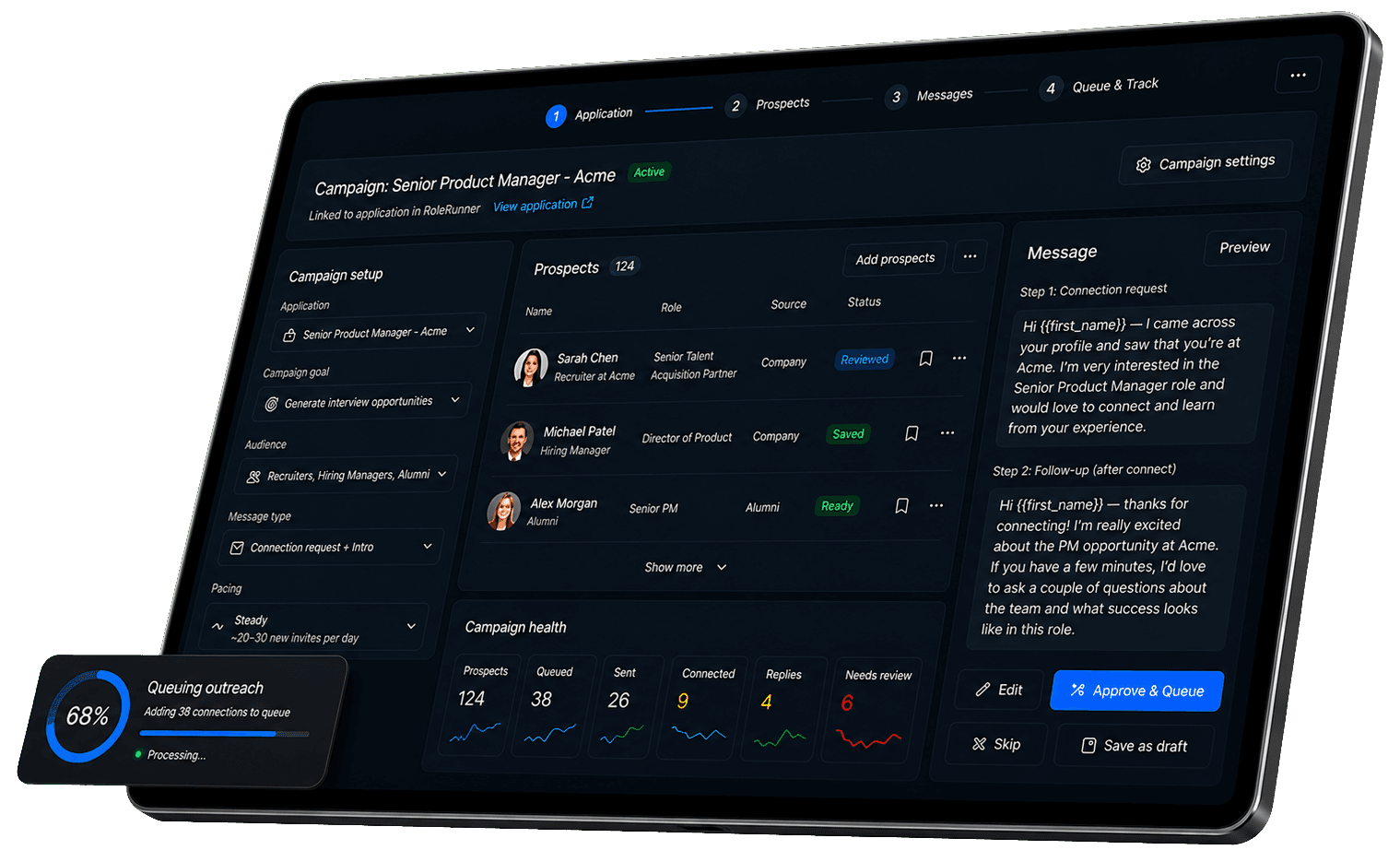
Campaigns helps Premium users organize recruiter outreach, hiring manager outreach, alumni networking, company research, and custom outreach around the application in front of them.
Start from a target role so the campaign goal, prospect list, and message review stay connected to real application context.
Find, review, save, and dedupe LinkedIn prospects before any outreach moves into the queue.
Review invite notes and initial messages, edit the wording, approve what fits, or skip anything that does not feel right.
Queue outreach with visible status, then monitor sent invites, replies, connections, failures, and items needing review.
Application context
Campaigns starts with the role you are pursuing, then keeps the outreach goal, prospect list, and conversation tracking tied to that application workflow.
Prospect review
RoleRunner helps you organize LinkedIn prospecting without losing control of the relationship. Review the person, context, and message before outreach is queued.
Campaign health
Campaign health metrics make it easier to see what is queued, what has been sent, what needs attention, and where a conversation is moving.
Automated connecting
rolerunner helps you send the first LinkedIn touch from a campaign, monitor who responds, and keep the prospect context ready for the next human follow-up.
Queue and activity controls
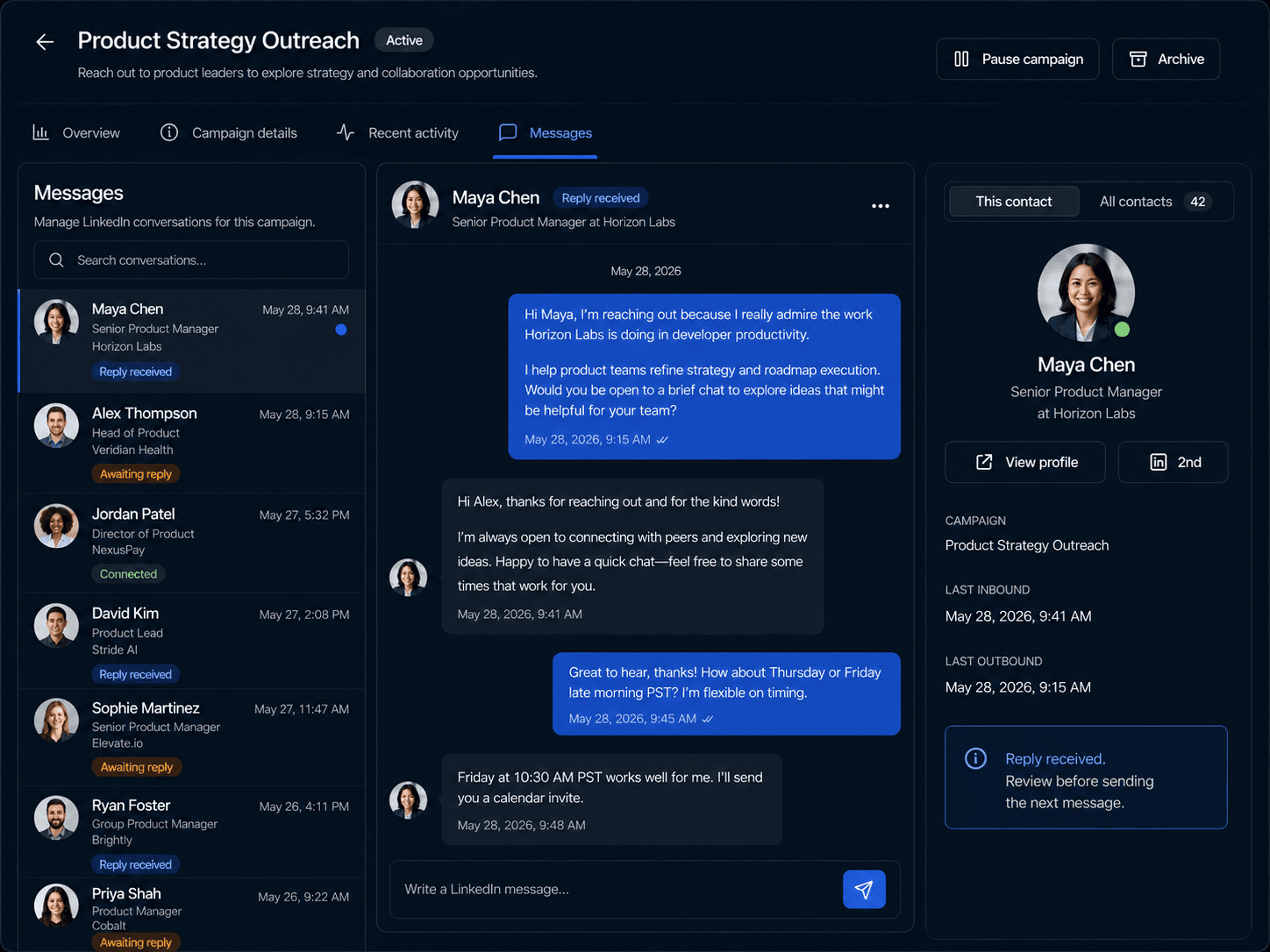
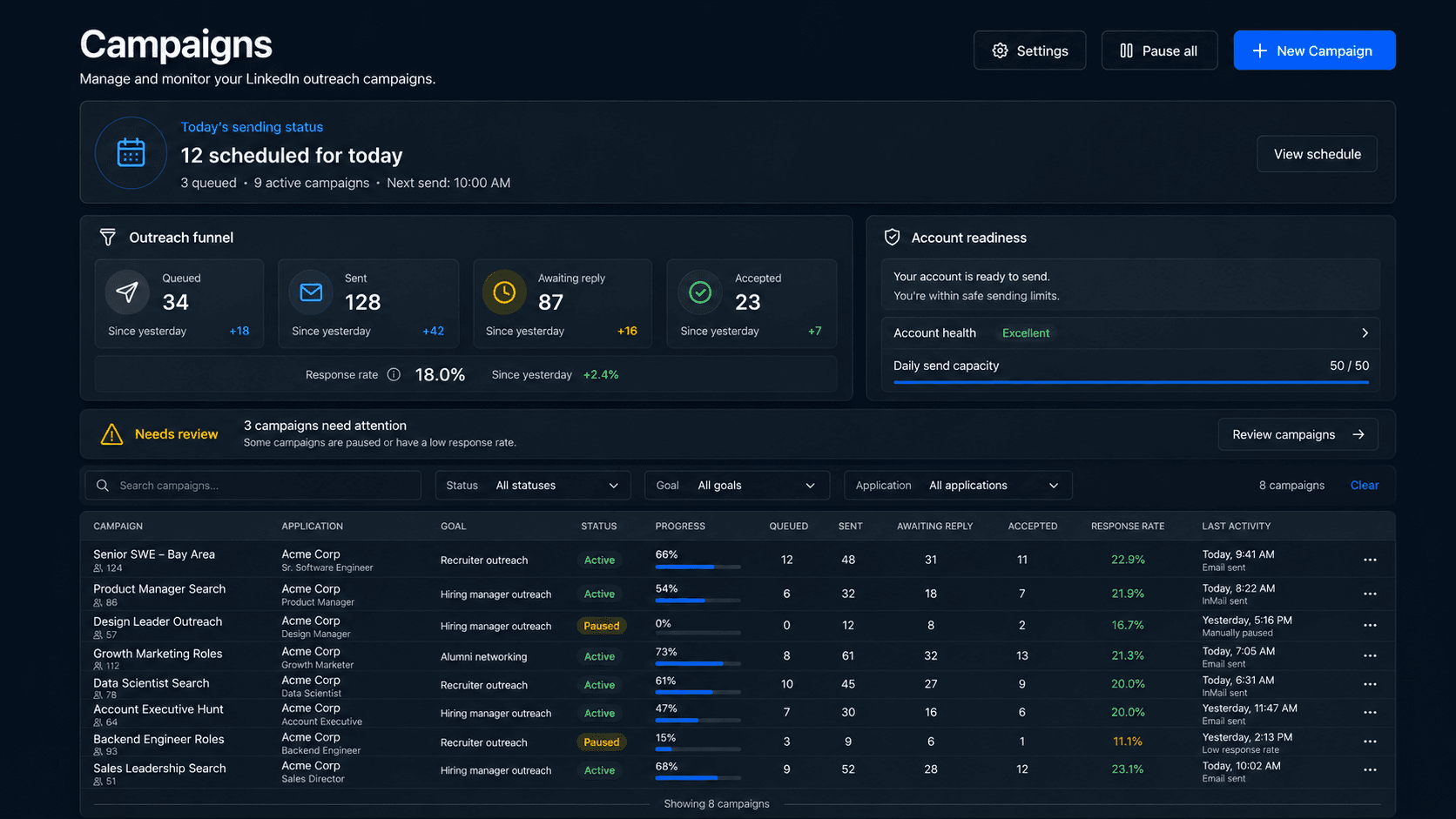
Campaigns gives you controls for queued outreach jobs and visibility into what happens next, from paused items and retries to replies and accepted connections.
Connected workflows
Use role context to sharpen the resume attached to a specific application.
Open resume tailoringCreate a focused cover letter from your resume, role details, and optional writing sample.
Open cover letter generatorCreate or refine the base resume that powers tailoring, applications, and interview prep.
Open resume builderTurn projects and experience into a polished public page connected to your career workspace.
Open portfolio builderPrepare with interview practice that can use your resume, role, and application context.
Open interview prepKeep roles, statuses, materials, contacts, interviews, outreach, and activity organized.
Open application trackerFAQ
A campaign is a premium workspace that automates your LinkedIn networking for a specific job application. Instead of cold messaging in the dark, it allows you to build targeted prospect lists, queue personalized messages, and track your networking progress all in one centralized hub tied directly to the role you want.
Absolutely. You are always in the driver's seat. Before any outreach is queued, you can review and deduplicate your prospect list, edit invite notes, and approve the initial messages. Nothing sends without your green light.
Yes. You have full control over your active campaigns. You can easily pause, cancel, retry, or adjust the pacing of your queued messages at any time directly from the campaign dashboard.
Yes. Your campaign workspace automatically syncs your LinkedIn activity. You can track sent invites, accepted connections, and incoming replies directly within the app, keeping your entire networking history perfectly organized by application.
Campaigns are available exclusively on premium plans. To activate a campaign, you simply need to connect your LinkedIn account. Note that your daily outreach will be governed by account-level sending limits to keep your networking safe and effective.
Ready when you are
Create a focused campaign, review the right prospects, approve your messages, and track what happens next from one workspace.